
I’ve been self-publishing with Kindle since it merged with CreateSpace, so basically it’s the only platform I’m familiar with. But in 2023 Kindle is no longer the only option out there. I’m not sure it’s even the best. So I wanted to check out what else is available. But since KDP is the one I am most familiar with I'll start with what I know about that platform.

Kindle Direct Publishing
What does Kindle have to offer and how does it compare to other platforms?

Ease of use: I’m fairly family with KDP so I don’t think it is hard to use. However, some of their features have caused me some frustration and I had to research how to most effectively use them.

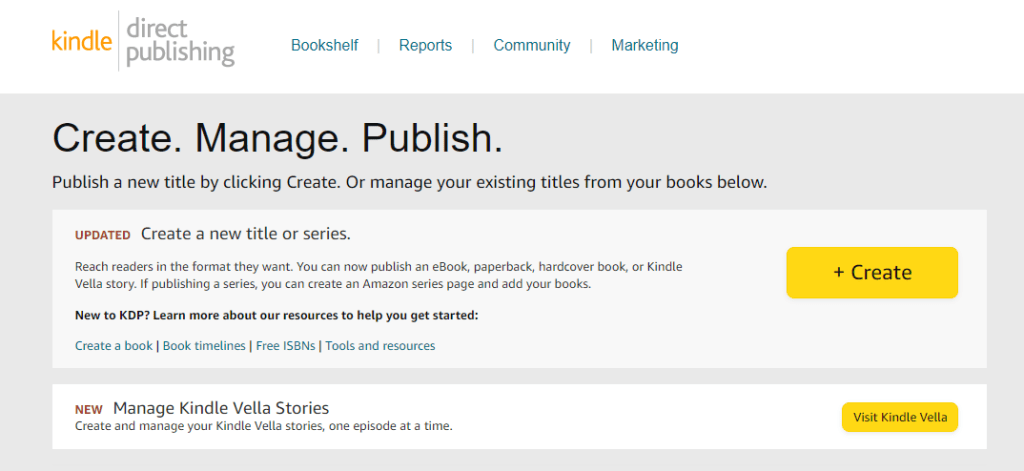
When I sign in I can see my bookshelf, check my sales reports, use the community to get answers, and create ads in marketing.

Kindle Vella: KV allows you to publish episodic stories. The first three chapters are free to read for anyone that has KV. I personally like this because it pushes me to complete my chapters so I can publish episodes regularly. Once I complete a story on KV I proof it again before I release it in paperback and Kindle. I get paid by KV by how many episodes are read.

Free ISBN: KDP offers a free ISBN. I’ve always used these, but have learned that doing so marks your book as self-published. Books which use the free ISBN are labeled as “independently published” rather than you being listed as the publisher of record. Also, that  specific ISBN can not be used with another publishing platform.

ISBN’s for writers based in the US need to be purchased from Bowker at isbn.org. However, they are rather expensive. When I checked, you could purchase 1 ISBN for $125. There was a deal for 10 ISBN’s for $295.00.

Book setup: I don’t find setting up a book difficult as most pieces are simply fill in the blanks. I can upload my manuscript as a pdf (.pdf), DOC (.doc), DOCX (.docx), HTML (.html), or RTF (.rtf). I write in English, but if you write in Hebrew, Japanese, Latin, or Yiddish you can only use pdf.

Of course your manuscript size has to match the size you choose for your finished book. A common size is 5 x 8” and it should have mirrored margins for a print book. Mirrored margins are a click of a button in Microsoft Word. Google docs however, doesn’t automatically do mirrored margins. It has to be formatted page by page.

Cover Creator: I like the Cover Creator in KDP. I normally purchase photographs to use on the front cover from another vendor, but Cover Creator has many designs that could be used without a photograph.


Publishing:  Publishing is as easy as clicking a button. If you want to simultaneously publish via KDP and Ingram Spark with the same ISBN (it must be your own ISBN), create drafts of the project in both places. Do not use KDP expanded distribution. Then you can complete the project on both platforms.

Once it’s published I can make corrections by unpublishing it, making the changes and republishing it. It will go live again within a day or so.


Ebooks: The platform provides a downloadable application called Kindle Create that lets you convert your pdf file to a kcb file which can be formatted for Kindle. Once you have the file it is easily added to your bookshelf.

Fees: there are of course extra services that you can pay for, but anything I can do myself, I prefer not to pay for. I usually pay for a proof or two to look for errors that I missed, and author copies.

Ads: You can enable ads through the KDP site. These are pay per click type ads.

Author Central: You are also able to set up an Author Page with your information and books that will appear on Amazon.

Once published your books are available on Amazon.

Check out Kindle Direct Publishing at kdp.amazon.com.

 Sascanda Publishing
Leave a comment